


Jellyfin
4.0629.00 Reviews
App Specs
- Version
- 2.7.1
- Updated On
- License
- Free
- Downloads
- 1,000,000+
- Developer
- Jellyfin
- Categories
- Video Players & Editors
- Platform
- Android
Screenshots
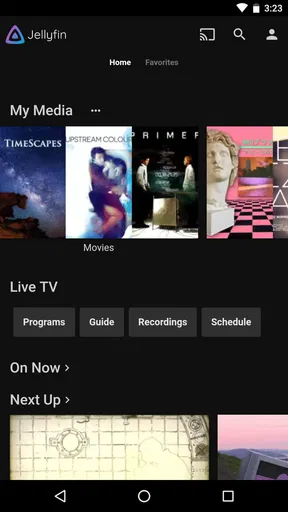
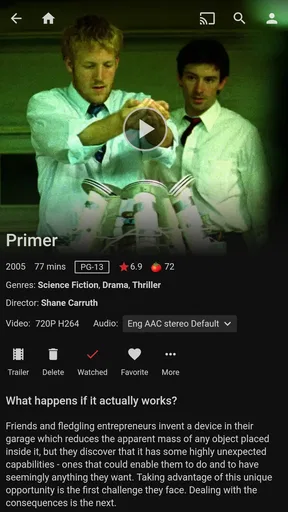
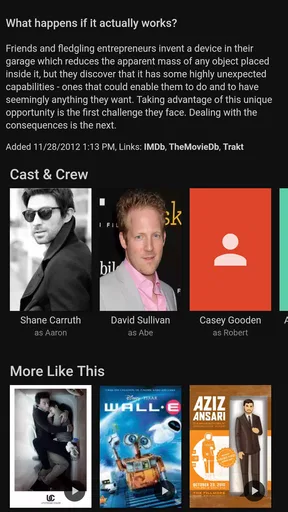
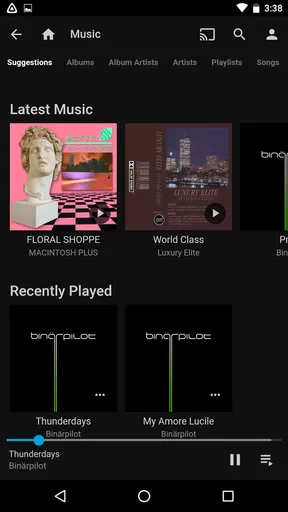

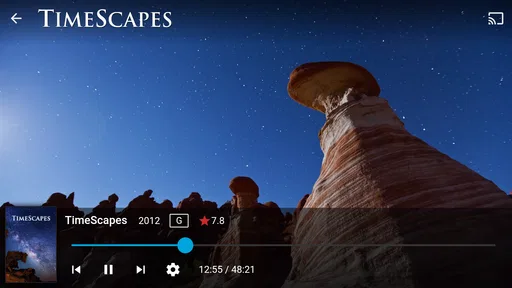
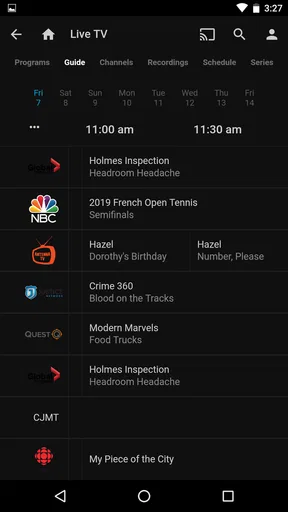
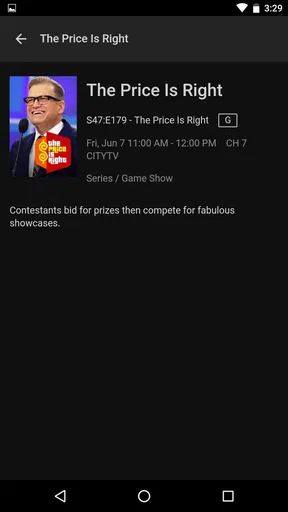
 Analysis by AppCompare
I tend to judge a media app by what happens when I just want to press play: does it get me to my own library without fuss, and does it still make sense when I’m away from the setup that powers it? Jellyfin is best understood as the viewing side of a personal media setup, rather than a streaming service that arrives with a ready-made catalogue. That distinction shapes both its appeal and the work it asks of you.
What to expect before you press play
The Android app is free, developed by Jellyfin, and sits in the video player and editor category. It has an average rating of 3.9 from around 6,600 ratings, with over 1,000,000 installs. It is rated for Everyone, first appeared on June 10, 2019, and version 2.6.3 requires Android 5.0 or later. Those details make it easy to try, but the more important question is whether you already have a Jellyfin server or are willing to set one up.
Unlike a typical video player, which opens files stored on your phone, this app is designed to connect to a server holding your media. That gives it a different job from the usual services: it does not replace a subscription catalogue, and it is not a shortcut to finding new films. Its value is in giving you a way to browse and play a collection you manage yourself. If that is what you want, the idea is appealing; if you simply want to install an app and immediately stream a broad selection, it is the wrong starting point.
Speed depends on the whole setup
I would not treat speed as a quality the phone app can guarantee on its own. Playback depends on the connection between your device and the server, the server’s ability to provide the file, and whether your device can handle the format. A quick, well-prepared home setup can feel convenient, while a slow connection or a file that needs extra processing can make the same experience less smooth. This is a practical trade-off of personal media hosting, not a reason to assume every session will behave like a major streaming platform.
For everyday viewing, I would start with a simple test: connect to your server at home, choose a familiar file, and check that browsing and playback work on the device you plan to use most. Then try the same routine from another network before relying on it for a trip. That gives you a realistic sense of how your own setup performs without mistaking a good home connection for a promise of smooth remote viewing.
Where heavy use can expose friction
The demanding moments are less about tapping through the interface and more about asking the complete setup to do several jobs at once. A large library can take more patience to browse than a small, tidy one; a file that the phone cannot play directly may need a different handling path; and watching away from home adds network quality to the equation. I would be cautious about assuming that a capable app can compensate for a busy or underpowered server.
One useful habit is to keep the first test manageable. Add a few representative items, make sure their names and library organization are clear, and check whether the app presents them in a way that makes sense before moving a whole collection into the workflow. If one particular file behaves differently from the rest, that points toward a compatibility or server-side issue rather than proving the app is generally unreliable. That distinction can save a lot of unproductive troubleshooting.
Worth Reading Before You Choose

Flipboard Shows What News Apps Must Do Beyond the Feed

Switching to Android Auto Means Rethinking Your Driving Routine

Google Calendar Makes a Crowded Week Easier to Manage

Ludo King Makes the Most of the Minutes Between Plans

Baby Panda World Brings Quick Play to Modern Phones, but Its Game Library Feels Busy

ESPN’s Live Game View Makes Following Close Games Easier
Reliability and getting back on track
Jellyfin’s open-source approach gives it a different support character from a paid service with one company controlling every part of the experience. The community can be useful when you run into a setup question, and the server-and-client arrangement also means that not every playback problem starts in the Android app. I like that the system is not tied to a commercial streaming catalogue, but I would not choose it if I needed one support desk to take responsibility for the entire chain from account to playback.
If playback stops, I would work through the chain in order: check whether the server is reachable, see whether another item plays, then try the same item on the local network. This simple comparison helps separate a connection issue from a file-specific one. It is also worth remembering that local access and remote access are different tests; success in one situation does not automatically show that the other is configured or performing well.
Device limits and who will enjoy it
The Android minimum of 5.0 makes the app available to a broad range of devices, but the operating-system requirement alone cannot tell you how demanding a particular library will be. Older or less capable hardware may handle some files more comfortably than others, and the server matters too. If your main goal is to play a file already on your phone, a straightforward local video player is usually a simpler fit. If you want a personal library that you can browse from several devices, Jellyfin makes more sense.
I see it working especially well for someone who has already organized a collection and enjoys having control over where it lives. It is less suitable for someone who dislikes setup, expects new content to be included, or wants guaranteed playback without thinking about networks and file compatibility. The choice is not really between “good” and “bad” video apps; it is between managing your own media and letting a service handle the catalogue and delivery.
On a normal evening, for example, I might pick a film from the home library on the phone while dinner is being made, then continue watching on another supported screen if that is part of my setup. The useful detail is that the collection stays centered on the server rather than being copied and searched separately on every device. But that convenience depends on having the server reachable and the chosen device able to play the file, so I would test that exact routine before making it my default way to watch.
Getting to Know Jellyfin
Alright, let's dive into what Jellyfin is all about. Imagine having a personal Netflix, but with zero restrictions. That's the magic of Jellyfin! It's a free, open-source media server that allows you to manage and stream your media from anywhere. Whether it's movies, TV shows, music, or even your favorite podcasts, Jellyfin has got you covered.
The setup process is surprisingly straightforward. You download the server software onto your PC, and within minutes, you’re ready to stream to any device in your home. There's no need for an internet connection once it's set up, which is a major plus if you're trying to save on data or want to stream locally.
Features That Stand Out
Now, let's talk features. One of the coolest things about Jellyfin is its customization. You can tweak the interface to suit your style, add custom themes, and even set parental controls if you've got little ones roaming around. The flexibility here is unmatched compared to other proprietary media servers.
Another fantastic feature is its multi-user support. You can create individual profiles for everyone in your household, complete with their own watch histories and preferences. This way, everyone gets a personalized experience without any mix-ups.
And let's not forget about metadata fetching. Jellyfin automatically gathers all the info about your media, like cover art, descriptions, and ratings. It somehow makes your library look way more organized and professional.
Performance and Usability
Performance-wise, Jellyfin runs like a dream. The interface is slick and responsive, with minimal buffering times. It's compatible with a whole bunch of devices, from your Android phone to your iOS tablet, and even your smart TV. The mobile app is a nice touch, providing easy access to your library when you're on the go.
One thing to note is that while Jellyfin handles most file formats with ease, you might occasionally run into a format that requires additional plugins. But hey, that's the beauty of open-source—there's always a community-developed solution.
Community and Support
Speaking of community, Jellyfin boasts a robust and active user base. Whether you're a newbie looking for installation tips or a seasoned pro sharing plugins, there's no shortage of support. The forums are a goldmine of information, and you're never far from finding someone who's had the same question or issue as you.
Plus, with regular updates and enhancements, Jellyfin continues to evolve, incorporating feedback from its users. It's like being part of a club where everyone has the same goal: to make home media streaming as awesome as it can be.
Final Thoughts
So, would I recommend Jellyfin? Absolutely! If you're looking for a cost-effective, flexible, and ad-free media server solution, Jellyfin is a no-brainer. It's perfect for tech enthusiasts who love to tinker, as well as casual users who just want an easy way to manage their media.
In a world where your media consumption is often dictated by big-name services, Jellyfin stands out as a beacon of freedom. With its open-source nature, flexibility, and community-driven improvements, it’s not just an app—it's a movement. Give it a try, and you might just find yourself wondering how you ever lived without it.
Pros
- Open-source and free to use.
- Supports multiple platforms easily.
- Customizable media organization.
- No data harvesting or ads.
- Active and helpful community.
Cons
- Requires manual setup for servers.
- Limited third-party integrations.
- No official mobile app support.
- Occasional playback issues.
- Interface can feel outdated.
FAQs for Jellyfin
What is Jellyfin and how does it work?
Jellyfin is a free and open-source media server software that allows you to manage and stream your personal media library. It works by organizing your media files, such as movies, music, and photos, and making them accessible across various devices via a web interface or dedicated apps. It's a great way to keep all your media in one place and access it from anywhere.
Is Jellyfin compatible with all devices and operating systems?
Jellyfin is highly versatile and supports a wide range of devices and operating systems. It can run on Windows, macOS, Linux, and various NAS devices. For clients, there are apps available for Android, iOS, Roku, and more. It also supports web streaming through any modern browser, making it accessible on almost any device.
How does Jellyfin compare to other media servers like Plex or Emby?
Jellyfin is similar to Plex and Emby in functionality but stands out by being completely free and open-source. This means there are no subscription fees or paywalls for features. Unlike Plex, Jellyfin does not require an internet connection to function, providing a more private and customizable experience. However, it may lack some of the polished interfaces and features of its commercial counterparts.
Are there any privacy concerns when using Jellyfin?
Jellyfin is designed with user privacy in mind. Since it's open-source and self-hosted, your data stays on your server and is not shared with third parties. You have full control over your media and server settings, ensuring a secure and private streaming experience without the need for internet connectivity, unlike some other media server solutions.
What are the system requirements for running Jellyfin?
The system requirements for Jellyfin depend on the size of your media collection and the number of concurrent streams. A basic setup might run on a modest system with a dual-core processor and 2GB of RAM. However, for larger libraries and multiple streams, a more robust setup with a quad-core processor and at least 4GB of RAM is recommended. Always ensure adequate storage for your media files.


